The short answer
The iPad (A16) is our pick for most kids, with an 11-inch screen and Apple Pencil (USB-C) support; the iPad mini (A20 Pro) is the smallest and lightest of the four and the only one with a water rating; and the iPad Air (M4) adds Apple Pencil Pro support for an older child (our suggestion).
Our verdict
Our Top Picks
Apple’s iPad page lists four models: iPad, iPad mini, iPad Air and iPad Pro. Each linked iPad was new, in stock and sold by Amazon.com at or below Apple’s list price for that exact configuration when we checked on November 12, 2026. We found no age label from Apple for any iPad, and none of the four Amazon listings shows an age range.
For other brands, see our affordable tablets for kids.
iPad finder
Find the right iPad for your child
Pick a use, then the lower- or higher-priced option. The suggestion is our editorial starting point from the four iPads below, not a test result.
Tiers are relative to the products in this guide; live prices are in the comparison table below.
Compare the picks
Compare the 4 iPads
Specs are Apple’s; model numbers are from the Amazon listings. “No IP rating” means Apple publishes none. Apple rates all four at “Up to 10 hours of surfing the web on Wi‑Fi or watching video”, and each spec page lists a “User-configurable maximum volume limit”.
 iPad (A16)Top PickEveryday use, homework, drawing11 in477 g$399.99 Prime
Evidence: Tom's Guide, this exact model
 iPad miniSmallest iPadTravel, reading, drawing8.5 in OLED255 g$699.00 Prime
Evidence: The Guardian, iPad mini (A20 Pro); storage size not stated
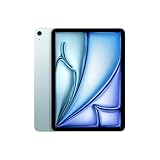 iPad AirUpgrade PickHomework, drawing, typing11 in464 g$649.00 Prime
Evidence: Tom's Guide, this exact model
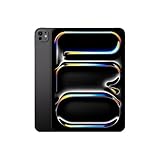 iPad ProTop-End OptionCreative apps, drawing, typing11 in OLED444 g$1,099.00 Prime
Evidence: Engadget, 13-inch iPad Pro, 1TB, 5G; same series, not this 11-inch, 256GB Wi-Fi
Apple Pencil and Keyboards: What Fits Which iPad
Apple’s Apple Pencil compatibility page lists Apple Pencil Pro for “iPad Pro 11-inch (M4 and M5)”, “iPad Air 11-inch (M2, M3, and M4)” and “iPad mini (A17 Pro and A20 Pro)”. The iPad (A16) is not on that list. All four take Apple Pencil (USB-C). The iPad (A16) also takes Apple Pencil (1st generation), with Apple’s note: “USB-C to Apple Pencil Adapter required with this iPad to pair and charge Apple Pencil”.
For keyboards, Apple’s keyboards page lists Magic Keyboard Folio as “Compatible with iPad (A16)”, Magic Keyboard for iPad Air with “iPad Air 11‑inch (M2, M3, and M4)”, and Magic Keyboard for iPad Pro with “iPad Pro 11‑inch (M4 and M5)”. For the iPad mini, Apple’s compare page says “Supports Bluetooth keyboards”, and its Magic Keyboard (USB-C) page lists “iPad mini (A20 Pro)”.
How to Set Up Apple’s Parental Controls
Apple’s parental controls page says “Screen Time comes with parental controls that can help you manage the apps and websites your child can access, who they communicate with, when they use their devices, and more.” The quotes below are Apple’s descriptions; we make no claim of our own about how well the settings work.
Family Sharing comes first. Per Apple, “The Family Sharing organizer, which must be an adult, can set up a Family Sharing group from their device.” Its steps: “Open the Settings app, then tap your name.” “Tap Family, then tap Continue.” “Follow the onscreen instructions to set up your Family Sharing group and invite your family members.” Apple’s parental controls page says to “Create a Child Account for your child, if they don’t have one already”, adding: “It’s important that your child has their own Apple Account, and isn’t sharing an account with anyone else (for example, another family member).”
Then Screen Time. Apple’s Screen Time page gives three steps on your own iPhone or iPad: “Open the Settings app.” “Tap Family, then tap your child’s name.” “Tap Screen Time, then follow the onscreen instructions to set up parental controls for your child.” Apple’s controls there include Time Allowances and Screen Time Schedules; these pages describe iOS 27 and iPadOS 27.
Content & Privacy Restrictions. Apple: “You can choose age-appropriate ratings for categories of apps, music, books, movies, TV shows, and more — so your child sees apps rated for their age group.”
Ask to Buy. Per Apple’s Ask to Buy page, “If you approve the request, the item automatically downloads to the child’s device. If you decline the request, no purchase or download will take place.” To turn it on, Apple says: “Open the Settings app, then tap Family.” “Tap your child’s name.” “Tap Apps & Websites, then tap Restrictions.” “Tap Ask to Buy, then turn on Require Purchase Approval.” Apple notes one gap: “If a child redownloads their own purchase, installs an update, or uses a redemption code, you won’t receive a request to approve or decline.” Apple’s parental controls page says “Ask to Buy and Ask to Browse are on by default for children under 13”, and its Screen Time and Ask to Buy pages add: “Age varies by state, country, or region.”
Headphone volume. Apple’s iPad guide says: “Tap Sounds, scroll down, then tap Reduce Loud Audio below Headphones.” “Turn on Reduce Loud Audio, then drag the slider.” It adds: “If you set up Screen Time for family members, you can prevent them from changing the Reduce Loud Sounds level.” Apple’s path: “Settings > Screen Time > Content & Privacy Restrictions > Reduce Loud Sounds, then select Don’t Allow.” Our AirPods for kids guide covers it in full; see also kids’ headphones.
Safety Warnings and Screen-Time Guidance
Apple’s iPad safety page warns: “Choking hazard. Some iPad accessories may present a choking hazard to small children. Keep these accessories away from small children.” It also says “don’t sleep on a device or power adapter, or place them under a blanket, pillow, or your body, when it’s connected to a power source.” On hearing: “Listening to sound at high volumes may damage your hearing.”
On screen time, the American Academy of Pediatrics says its guidelines “do not give a set screen time limit that applies to all children and teens.” Its 5 C’s guidance is “based on the child, the content, ways to calm down, what media is crowding out and ongoing communication.” For under-5s, the WHO says of infants: “Screen time is not recommended.” For 1-year-olds, sedentary screen time “is not recommended”; for ages 2 to 4, it “should be no more than 1 hour; less is better.” For questions about your child’s health, ask their pediatrician.
How We Chose These iPads
How this guide was built
built from Apple’s spec, compatibility, support and safety pages, the Amazon listings, published third-party reviews and forum reports; we have not tested these products ourselves.
What we compared for each iPad
- Size: screen and Wi-Fi weight (Apple).
- Accessories: Apple Pencil and keyboard support (Apple’s lists).
- Water: Apple’s IP rating, if any.
- Listing: exact model number, new, sold by Amazon.com, at or below Apple’s list price on November 12, 2026.
Sources and their limits
Sources and their limits
Independent reviews: Tom’s Guide for the iPad (A16) and iPad Air; The Guardian for the iPad mini; Engadget for the iPad Pro. Forum quotes are dated by thread start. We did not use Amazon’s review summaries. Since the earlier version of this page, we dropped older iPad generations that are no longer on Apple’s lineup.
Detailed Reviews
Apple iPad (A16), 11-inch, 128GB Wi-Fi, Top Pick
Parents who want one iPad for a child's videos, games, reading and schoolwork without paying for the Air or Pro.
$399.99 from AmazonAs of Nov 14, 14:30 UTCVerdict
Apple’s lowest-priced current iPad, with an 11-inch screen, Touch ID and Apple Pencil (USB-C) support, but no Apple Pencil Pro and no water rating.
Evidence: Independently reviewed, exact model. Tom’s Guide: iPad 11 (A16).
In its kids’ iPad guide, Tom’s Guide calls this model the “iPad 11” (its spec box reads “CPU: Apple A16”) and wrote: “Its 11-inch display makes everything from homework to cartoons look crisp and colorful, and our lab results show it lasts 11 hours and 25 minutes.”
Specs (linked: Apple iPad (A16), 11-inch, 128GB Wi-Fi, Blue, MD4A4LL/A)
- Screen: 11-inch Liquid Retina, 500 nits (Apple)
- Weight: 477 g, Wi-Fi model (Apple)
- Unlock: Touch ID in the top button (Apple)
- Apple Pencil: USB-C; 1st generation with an adapter (Apple)
- Keyboard: Magic Keyboard Folio (Apple)
- Water and dust: no IP rating given by Apple
- Seller when checked: Amazon.com, below Apple’s list price
Pros
- An 11-inch screen and Apple Pencil (USB-C) support in Apple’s lowest-priced current iPad
- 11 hours 25 minutes in Tom’s Guide’s battery test
Cons
- No Apple Pencil Pro support, per Apple’s list
- No water rating from Apple
Who should buy it
Parents who want one iPad for a child’s videos, games, reading and schoolwork without paying for the Air or Pro.
Apple iPad mini (A20 Pro), 128GB Wi-Fi, Smallest iPad
Parents of a child who reads, draws or travels with the iPad and wants it small enough to carry everywhere.
$699.00 from AmazonAs of Nov 14, 14:30 UTCVerdict
The smallest and lightest of Apple’s four current iPads, with an 8.5-inch OLED screen and an IP67 rating.
Evidence: Independently reviewed, same series. The Guardian: iPad mini (A20 Pro), storage not stated.
The Guardian wrote: “The iPad mini is the best small tablet available.” On battery: “The battery lasts a solid nine to 10 hours of active screen use for lighter tasks such as browsing the web, answering emails, taking notes, watching movies or viewing photos. Playing games dents the battery to more like six to eight hours.” Its caveat: “And for most people the cheaper basic iPad or iPad Air is a better buy.” The Guardian does not name its storage size; Apple’s 512GB mini has a 6-core CPU, ours five.
Apple rates it “IP67 (maximum depth of 1 meter up to 30 minutes) under IEC standard 60529”, and warns: “Splash, water, and dust resistance are not permanent conditions.” Apple also says: “Do not attempt to charge a wet iPad” and “Liquid damage not covered under warranty.” For books alone, see our Kindle guide.
Specs (linked: Apple iPad mini (A20 Pro), 128GB Wi-Fi, Standard Glass, Midnight, MJ6F4LL/A)
- Screen: 8.5-inch Super Retina XDR, OLED, 600 nits (Apple)
- Weight: 255 g, Wi-Fi model (Apple)
- Unlock: Touch ID in the top button (Apple)
- Apple Pencil: Pro and USB-C (Apple)
- Keyboard: Bluetooth, including Apple’s Magic Keyboard (USB-C); no Apple keyboard case
- Water and dust: IP67, IEC 60529 (Apple)
- Seller when checked: Amazon.com, at Apple’s list price
Pros
- At 255 grams, the lightest of Apple’s four current iPads (Apple)
- The only one of the four with a water and dust rating (Apple)
Cons
- A higher price tier for a smaller screen than the iPad (A16)
- No Apple keyboard case listed for it
Who should buy it
Parents of a child who reads, draws or travels with the iPad and wants it small enough to carry everywhere.
Apple iPad Air (M4), 11-inch, 128GB Wi-Fi, Upgrade Pick
Parents of an older child (our suggestion) who draws with Apple Pencil Pro or types schoolwork on a Magic Keyboard.
$649.00 from AmazonAs of Nov 14, 14:30 UTCVerdict
The step up from the iPad (A16), with Apple’s M4 chip and Apple Pencil Pro support; Tom’s Guide frames it as a pick for older kids.
Evidence: Independently reviewed, exact model. Tom’s Guide: iPad Air M4, 11-inch.
Tom’s Guide’s kids’ guide wrote: “Our lab results show the 11-inch Air’s battery lasts 9 hours and 44 minutes in mixed use— enough to get most kids through a full school day, although not as long as the iPad 11 or iPad mini 8.” It added: “It’s more expensive than ever with Apple’s price hikes, so this is purely a pick for older kids.”
Apple also sells a 13-inch Air; we link the 11-inch.
Specs (linked: Apple iPad Air (M4), 11-inch, 128GB Wi-Fi, Blue, MH314LL/A)
- Screen: 11-inch Liquid Retina, 500 nits (Apple)
- Weight: 464 g, Wi-Fi model (Apple)
- Unlock: Touch ID in the top button (Apple)
- Apple Pencil: Pro and USB-C (Apple)
- Keyboard: Magic Keyboard for iPad Air (Apple)
- Water and dust: no IP rating given by Apple
- Seller when checked: Amazon.com, below Apple’s list price
Pros
- Apple Pencil Pro and Magic Keyboard for iPad Air support (Apple)
Cons
- Shorter result in Tom’s Guide’s battery test than the iPad (A16)
- No water rating from Apple
Who should buy it
Parents of an older child (our suggestion) who draws with Apple Pencil Pro or types schoolwork on a Magic Keyboard.
Apple iPad Pro (M5), 11-inch, 256GB Wi-Fi, Top-End Option
Parents of a teen (our suggestion) who edits video or draws seriously and will use the OLED screen and extra storage.
$1,099.00 from AmazonAs of Nov 14, 14:30 UTCVerdict
The model Apple calls “The ultimate iPad experience with the most advanced technology”, with an OLED ProMotion screen and Face ID; the reviewer we cite calls the M5 overkill for most iPad use.
Evidence: Independently reviewed, same series. Engadget: 13-inch iPad Pro (M5), 1TB, 5G.
Engadget reviewed the 13-inch model with 1TB and 5G, not the 11-inch Wi-Fi model we link. It wrote: “The caveat with all of this is that while the M5 is incredibly powerful, it’s also overkill for most things that people are going to use an iPad for.”
Specs (linked: Apple iPad Pro (M5), 11-inch, 256GB Wi-Fi, Standard Glass, Space Black, MDWK4LL/A)
- Screen: 11-inch Ultra Retina XDR, tandem OLED, ProMotion (Apple)
- Weight: 444 g, Wi-Fi model (Apple)
- Unlock: Face ID (Apple)
- Apple Pencil: Pro and USB-C (Apple)
- Keyboard: Magic Keyboard for iPad Pro (Apple)
- Water and dust: no IP rating given by Apple
- Seller when checked: Amazon.com, below Apple’s list price
Pros
- An OLED screen with ProMotion, the only one of the four with Face ID (Apple)
- Starts at 256GB of storage (Apple)
Cons
- The top price tier here, and a reviewer calls the M5 “overkill” for most iPad use
- No water rating from Apple
Who should buy it
Parents of a teen (our suggestion) who edits video or draws seriously and will use the OLED screen and extra storage.
Frequently Asked Questions
Q. Which iPad is best for kids?
For most kids, the iPad (A16), our pick. For a smaller, lighter iPad, the iPad mini. For an older child who wants Apple Pencil Pro (our suggestion), the iPad Air.
Q. Which iPad is better for kids, the iPad or the iPad Air?
The iPad (A16) is the lower-priced of the two. The Air (M4) adds Apple Pencil Pro and Magic Keyboard for iPad Air support, per Apple. Tom’s Guide calls the Air “purely a pick for older kids”.
Q. Should I get my 7 year old an iPad?
We found no Apple age label. Tom’s Guide suggests the iPad (A16) for “kids ages 5 to 14”, and the AAP guidance above sets no fixed screen-time limit. Apple says Ask to Buy and Ask to Browse “are on by default for children under 13” (Apple: “Age varies by state, country, or region”), and the mini, Air and Pro spec pages say “Siri AI is not available for users under 13.” Our suggestion: set up Family Sharing and Screen Time before handing it over.
Q. Should I buy a used or renewed iPad for my child?
We link only new iPads. In a June 2025 r/Parenting thread, one parent wrote that “after a certain amount of years, Apple makes it impossible to download apps.” Another disagreed: “I don’t get the comments here saying they’ll be bricked, mines 5 years old still getting all the apps all the updates.”
The bottom line
Final Verdict
For most kids, the iPad (A16) (check price) is our pick: an 11-inch screen and Apple Pencil (USB-C) at the lowest price of Apple’s current iPads. The iPad mini (A20 Pro) (check price) is the small, IP67-rated option. The iPad Air (M4) (check price) suits an older child who wants Apple Pencil Pro (our suggestion), and the iPad Pro (M5) (check price) is, in our view, only for a teen who will use it hard. Our suggestion, whichever you choose: set up Family Sharing and Screen Time first.
Product prices and availability are accurate as of the date/time indicated and are subject to change. Any price and availability information displayed on Amazon.com at the time of purchase will apply to the purchase of this product.